
| • | To apply transparency to an Overlay clip |
You can quickly adjust the overall transparency of an overlay clip to achieve a semi-transparent effect. For more control over how the overlay clip blends with the background, see Blending overlay clips with the background.
| To apply transparency to an Overlay clip |
|
| 1 | In the Attribute tab, click Mask & Chroma Key. |
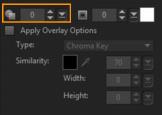
| 2 | Drag the Transparency slider to set the opacity of the Overlay clip. |
Copyright 2015 Corel Corporation. All rights reserved.
